June 10, 2026
Lapel: Building a Job-Hunting Pipeline that Remembers You
Another season, another layoff. It’s par for the course in the tech industry these days. As I find myself in-between jobs, entering the senior experience bracket of my industry, it’s easy to be filled with dread at the prospect of selling myself on the free market. It’s a full-time job in itself: I need to watch job boards, tailor my application to dodge Applicant Tracking System (ATS) filters, compile and remember meaningful work experiences from past jobs (including the ones who laid me off!), prepare for interviews, and make sure my portfolio contains worthwhile personal projects to feature. Checkmate, anxiety.
But I’m an engineer, and what we do is examine problems, make a plan, and solve them. So here’s what I came up with. I leveraged agentic code development to create a tool that uses AI to help with job hunting. Not a new idea: it seems like ChatGPT or Claude is required nowadays to tailor resumes and get through ATS filters. But I know I can make this more efficient. So what I built was not just a job-hunting agent, a resume-tailoring agent, etc. I combined all of the features I needed into a pipeline that efficiently stores necessary context across the tools, and continually builds a personal profile as you use it.
The tool is called lapel, because it “tailors” your application (hey, you work with AI, you get AI names 😜. I don’t think it’s too bad though!). It’s a local command-line app that creates a personal profile and uses it to score job postings for fit, draft tailored application materials, and coach you for interviews. I’m going to dedicate the rest of this post to detailing the engineering story of how I leveraged agentic coding to build the tool, what I learned about using agents to code and coding products with agents in them, and how useful the product ended up being in the end. If you’re interested, the tool is open-source and lives here: https://github.com/ciwaskiw/lapel
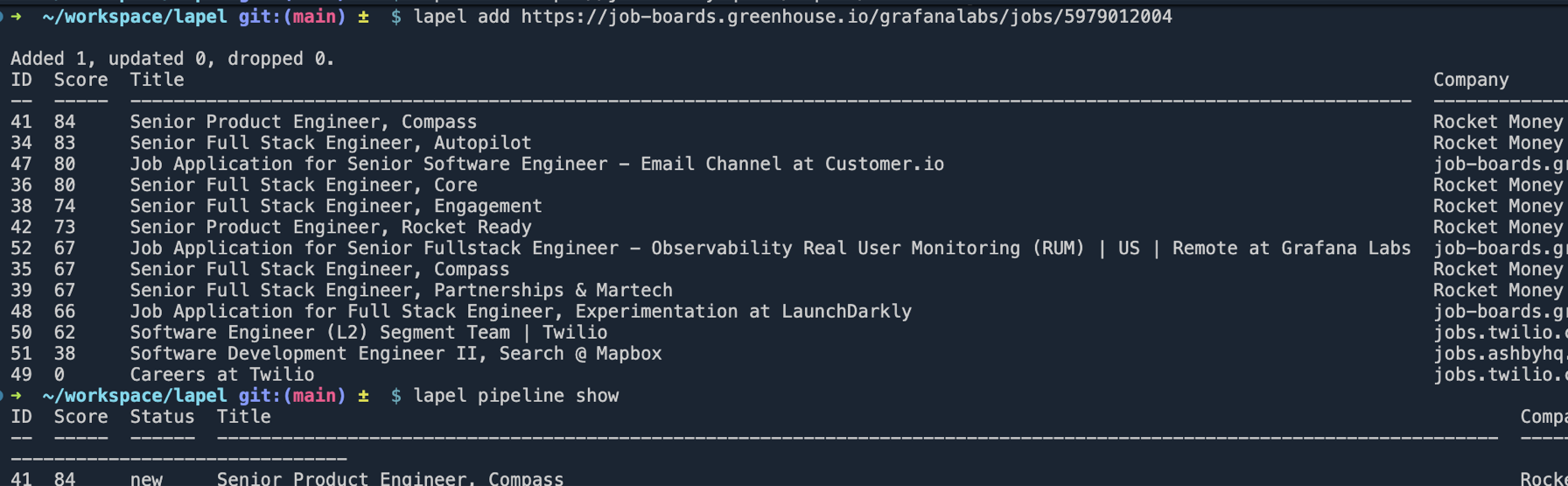
lapel status: scored job postings at a glance.My goals going into this venture:
- Create a portfolio piece (the tool and this post) that I can leverage in applications and interviews that demonstrates my design sense and agentic coding skills.
- Create a tool I will actually use in my job hunt to make the process less anxiety-inducing and unbearable (and more efficient with AI token usage: I’m not spending a company’s subscription money anymore!)
- Hopefully make a tool somebody else might find useful!
During my last year at my previous company I became very familiar with agentic code development. The idea is that with advanced LLMs being faster than we could ever be at menial coding tasks, our roles as engineers shift from programmer to designer. It’s similar to the shift from a junior to a senior contributor: as we grow in our dev careers, we write less code and do more architecture design, ticket writing, and resource management. This seems to be where the industry is heading. It’s a little scary regarding the plight of the entry-level engineer entering the industry right now, but that’s a topic for another post.
Something I already knew I wanted to use was the superpowers plugin for Claude Code. This awesome suite of Claude skills gives your agent a software development methodology, and without it the project would have probably taken longer, cost more tokens, and been sloppier and messier. Before I get too much into the weeds, let’s just walk through how I built this.
Getting Started
I started with a fresh Claude Code Opus chat window and made sure to start with /using-superpowers — a skill that primes the session with a software engineering methodology and unlocks the other superpowers skills. Then I explained what I wanted the tool to do - at this point, what I wanted was:
- Create a profile based on input documents (resume, linkedin profile) and an AI interview
- Score job descriptions for fit from that profile
- Tailor a resume and cover letter for each job description
- Pipeline-ify this by passing the scored JDs to the tailor step.
So the first thing that the chat did was use the /brainstorming superpowers skill. After some back-and-forth we came to even more ideas. For example:
- We can use sqlite to store JDs and scores across sessions
- We can include a short “gap interview” during the tailor step to both make the tailored application more accurate but also attach to the profile, making it learn you as you use the tool more and more.
- We can include a pre-filter step when posting a big company’s job board so the AI doesn’t have to crawl through all of the JDs and use up tokens reading irrelevant descriptions.
- We can include commands for changing Claude agents - in case you want to save tokens with Sonnet or power through with Opus
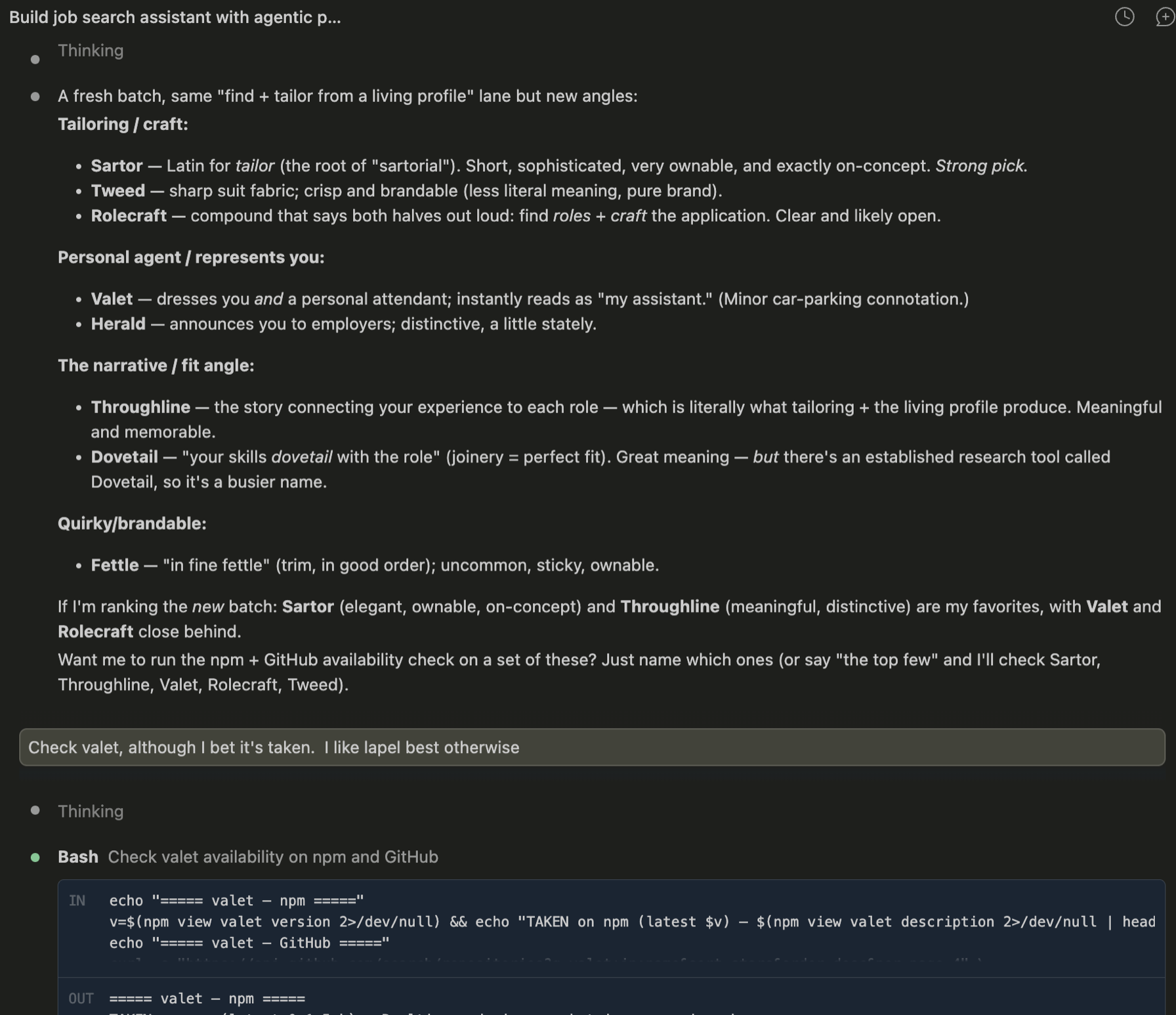
This is also when I asked for ideas about the name. I don’t think lapel is the most amazing name but it fits ok and it wasn’t taken by any similar products on npm or github. With a suite of ideas ready and one final chat with Opus regarding the features we wanted, we moved on to the spec step.
Product Specification and Writing Plans
The way that the superpowers plugin works here is that it first writes a product specification, or “spec”. This is basically what came out of the last brainstorm chat with Opus, but more codified. After the spec is done, Opus will then create implementation plans using the /writing-plans superpowers skill. Think of the spec as the requirements from your product manager, and the plans as the JIRA tickets.
OK, but why do we need this? Can’t Opus just write the code? It already knows what we want, right? Well here’s the thing. Opus is EXPENSIVE. According to Tech Insider, Opus on average uses up 5x the tokens as Sonnet. And Sonnet is great: I use it all the time, and it can handle pretty complex tasks. It especially can handle workhorse tasks like implementing a specific code design (I’ve had it implement code based on JIRA ticket descriptions plenty of times at my last job). And remember - I’m no longer employed, so these Claude tokens are on my dollar!
So the process is similar to the SWE process we know. The stakeholder and project manager (in this instance that’s me) has an idea and creates the requirements, with help from the engineering manager (in this instance that’s Opus). Then the engineering manager (Opus) writes the JIRA tickets (the superpowers plans), and then has the engineering team (Sonnet subagents) develop. It’s like having an engineering org in a box!
Subagent Execution
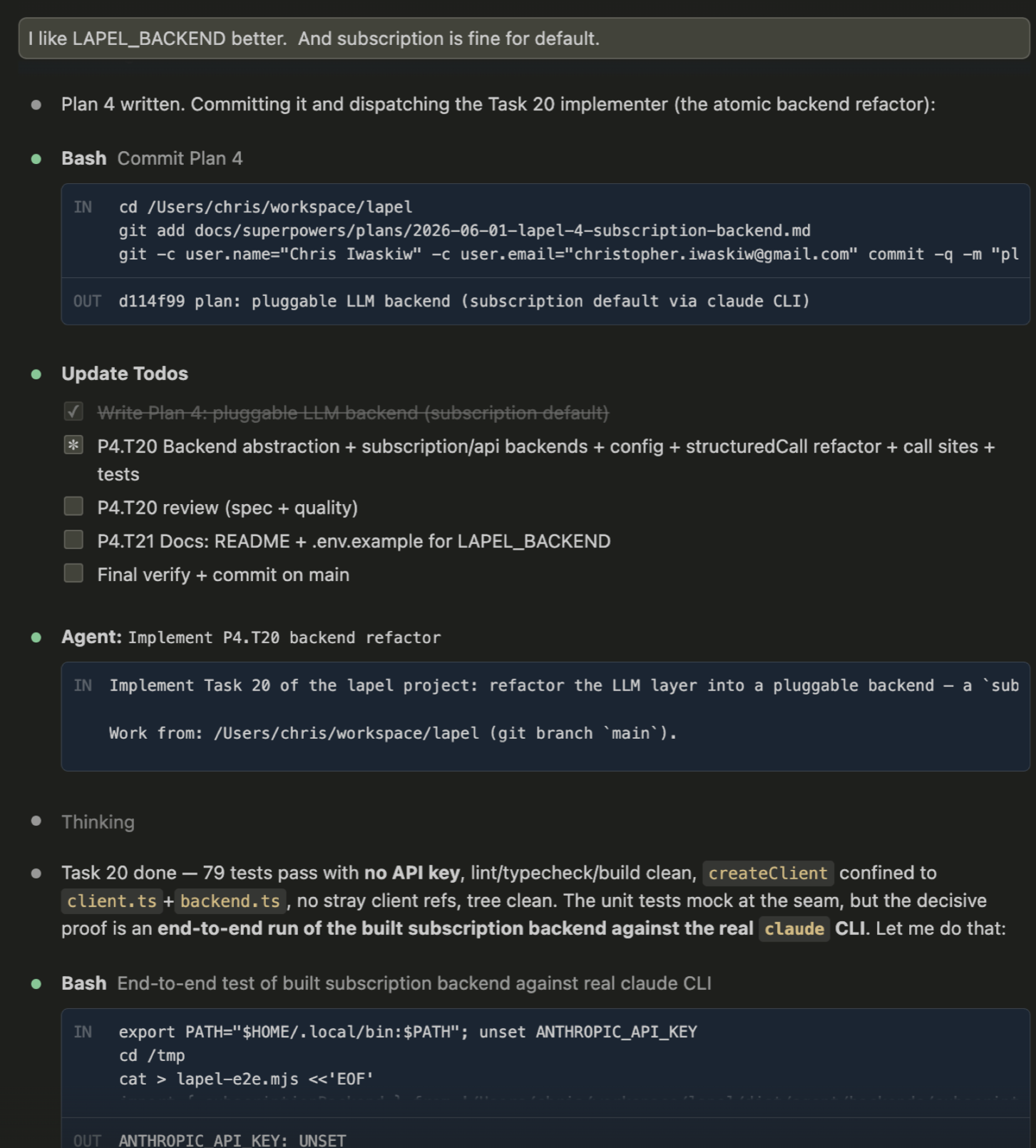
And so, the subagents were let loose (this is the /executing-plans skill, by the way).
This was about an hour or so of approving permission requests, reviewing code at breakpoints, answering questions about environment issues, etc. There’s not a lot to expound on, but here are a few things I learned:
- The subagents can take a lot of time (and time means money) getting the environment set up. For instance, the subagent had a lot of issues getting
nodeinstalled. It’s worth it to set this kind of thing up on your own if you know what you’re doing. - The subagents aren’t smart on their own because the only context they have is the writing plans. This means they miss things about the wider view of the project.
- You want to always review exactly what you want from the spec before spinning off the subagents. The subagents overall took a while to execute (maybe like 1.5 hours total) and used up about 1.5× my daily Claude Pro session limit (so I had to stop and restart in the middle of the process). In the end, there were a few things that I didn’t really need that I could have avoided building if I had read the spec closer (for instance, it had very robust unit tests that I did not feel I needed for this kind of project).
One thing I love about the superpowers plugin is that the specs and plans all live in the repo so you can always look back at it. Check it out here to see exactly what my subagents did: https://github.com/ciwaskiw/lapel/tree/main/docs/superpowers
Adding Features, Fixing Bugs
When the initial three plans were done, lapel “worked” — but it wasn’t done. I started using it on my own real job leads, and immediately found things to fix and features I wanted. For example:
- The Ashby job board client didn’t work due to an incorrect API call
- A way to remove companies from the db
- A way to score jobs that I scouted but weren’t on Greenhouse or Ashby
- The
tailorcommand wouldn’t exit stdout after completing - The prefilter on the scoring command was much too strict and would just drop everything
- My Claude Pro subscription didn’t work with the product — it was designed to use the Claude API instead.
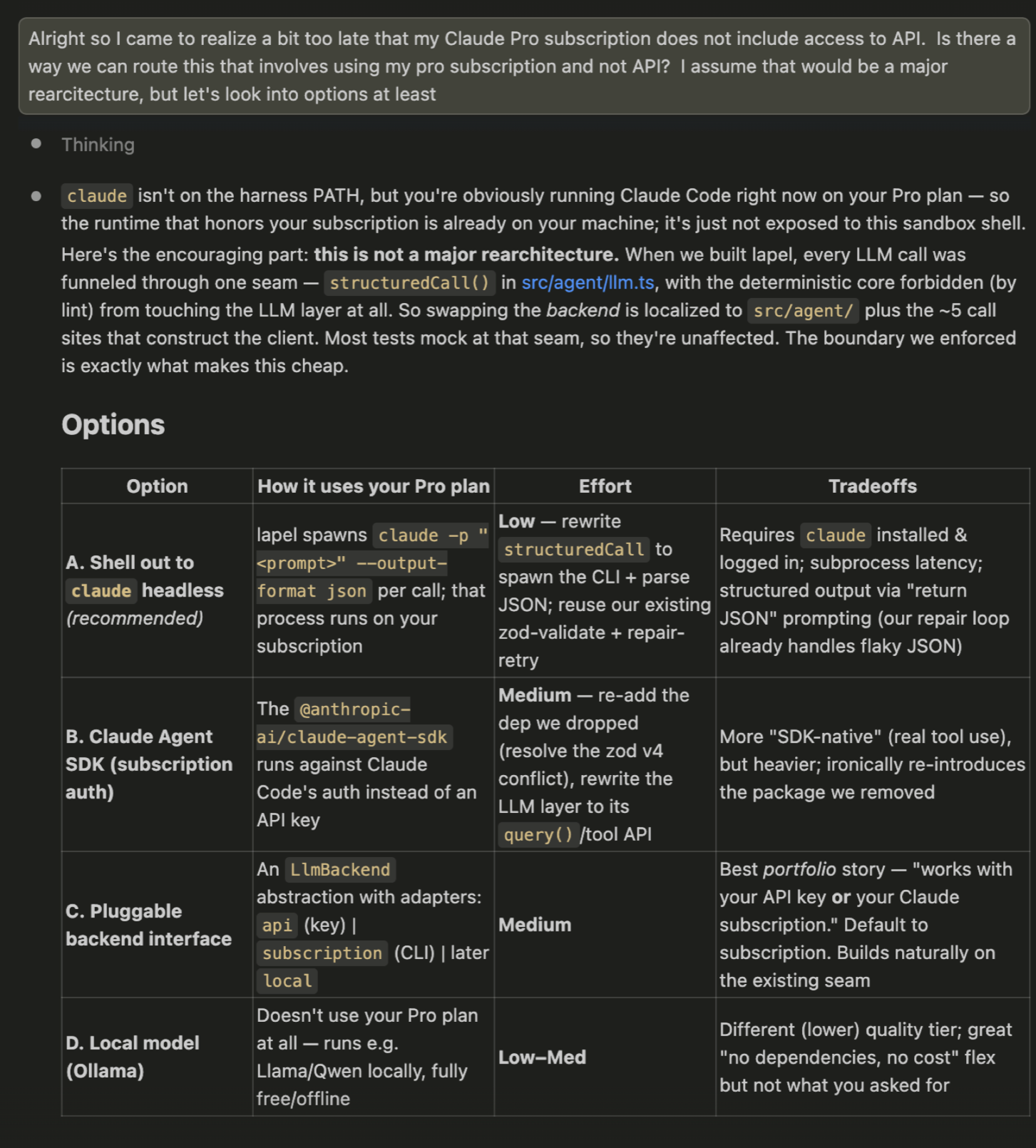
Some of these features were very quick to fix, some required rearchitecting, and some required new brainstorming. The process was all the same — brainstorm and spec ideas if it’s a big new feature (just like a PM would make requirements), create plans (just like a TM would cut JIRA tickets), and execute with subagents (just like engineers would execute those tickets.)
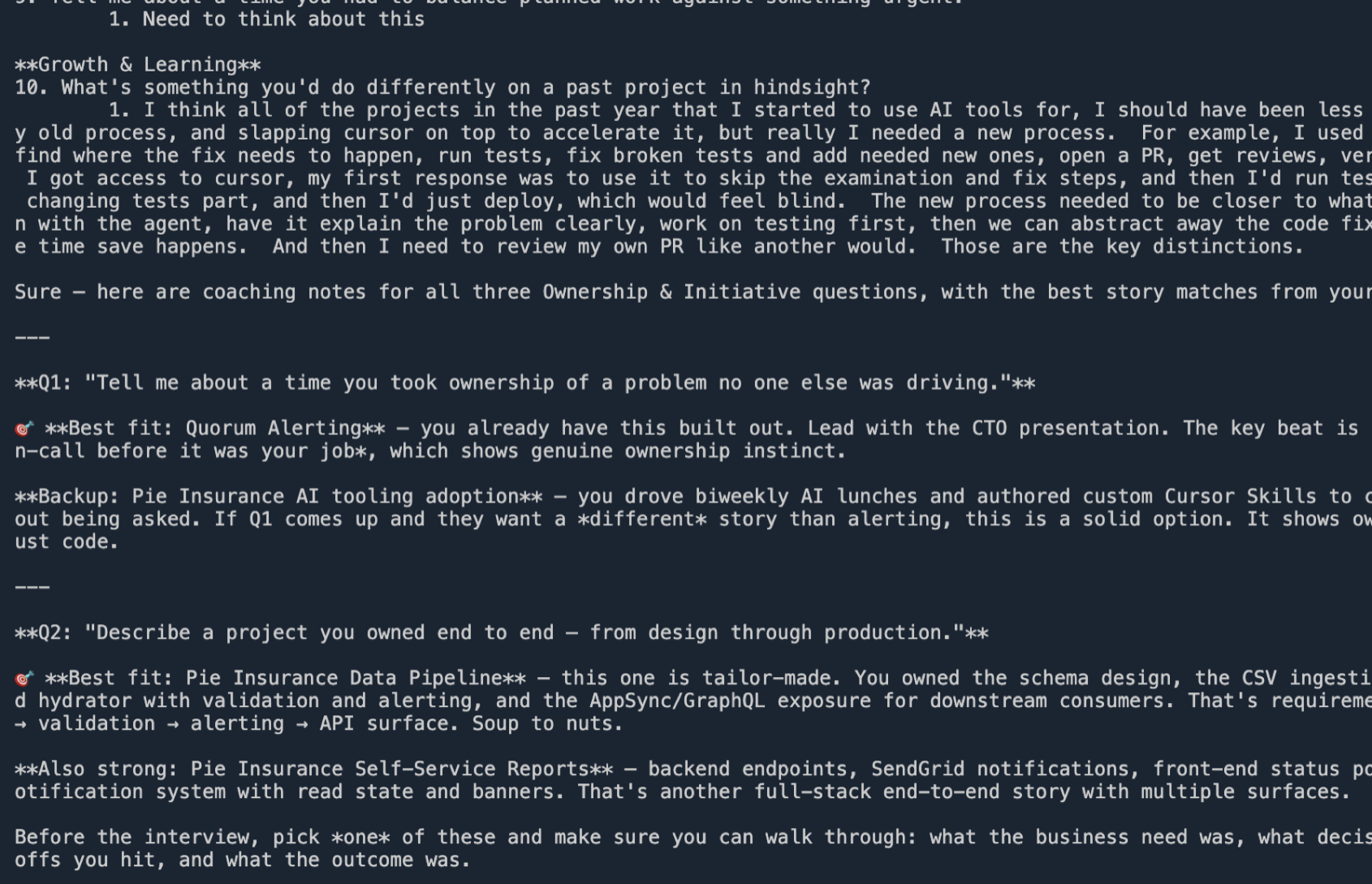
Here’s one more example of the process. When getting ready for an interview, I decided an interview prep feature would be a good addition to the end of the pipeline, since lapel already knows all of the context on my job search. Its spec goals read like a design brief I’d be happy to hand a coworker:
- a live, multi-turn coaching chat, not a one-shot brief (the back-and-forth is the point);
- the interview’s nature — round type, interviewer, format — established conversationally at the start, instead of some rigid –type flag;
- grounded in the profile + the full posting only (the same “no fabrication” contract as tailor);
- resume-with-memory: re-running prep
continues where I left off; - a saved study-sheet recap to skim before the call.
Some of these ideas were fresh in my mind, some came from brainstorming with Claude. That was written as a spec and after I reviewed it (something I learned to do more carefully after last time), we created the plan and had subagents execute.
lapel prep: a live interview-coaching exchange.Watching the Meter
One payoff I learned from this process is that because the development process is saved in docs, it becomes much easier to iterate on the product with AI later. Eventually, the Opus chat that created the code became long and would eat upwards of 20% of my session limit with every chat due to the bloated context window. But because it created a CLAUDE.md and all of the plans and specs, and a BACKLOG.md for future feature ideas, I could start fresh with a Sonnet or Opus chat and fix bugs and add features for a much lower cost. Back when I was less experienced with agentic code development, I’d had Claude crawl entire codebases just to find one small change. But with careful planning and understanding context windows, we can make that process much faster and cheaper.
What We All Learned Today
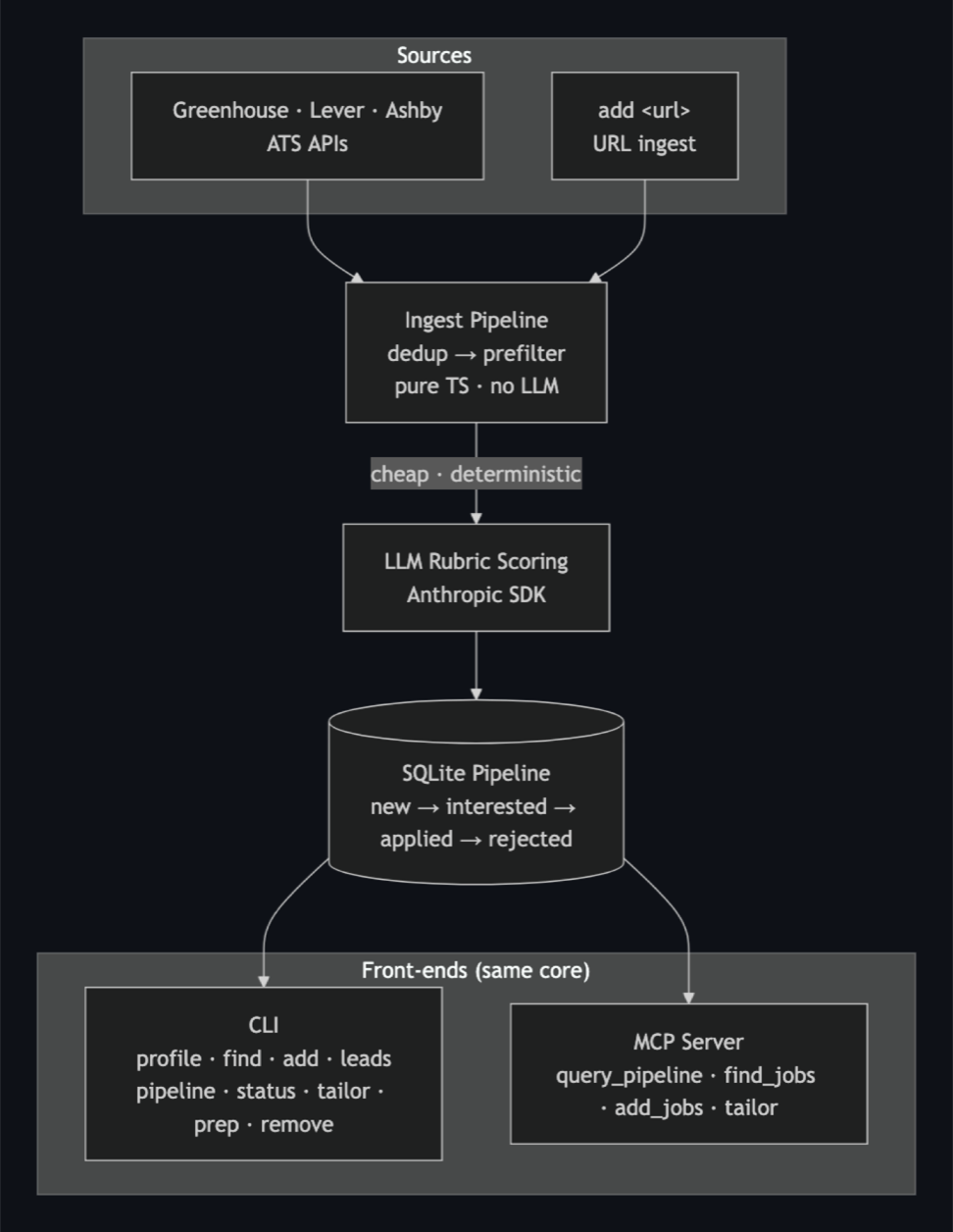
- Move recurring AI help out of the chat and into a pipeline with persistent, structured memory. The win isn’t a smarter model; it’s not making the model re-derive your context every time.
- The context window is the bottleneck — in the product and in the build. Externalize the durable stuff (a spec, a plan, a profile) and assemble a tight prompt for each task.
- Specs and plans on disk are what make agentic coding sustainable. They’re how a fresh, cheap session picks up exactly where you left off — that’s where the real leverage was for me.
- Match the model to the task. Heavy orchestration earned its cost for the big from-scratch build; for a small feature, a single cheap session doing TDD was just as good and a fraction of the price.
- Before you launch subagents, read the spec! There might be a feature or architecture element that you don’t want that the subagents will spend a long time on!
I’m using lapel now to find jobs and tailor applications. It’s a real tool I’m actively using, and I can iterate on it quickly and easily as more ideas come.
Try It Out
If you’re interested, try it out here! https://github.com/ciwaskiw/lapel
What you’ll need:
- Any information you want for your profile — resume, website, etc. Put that in
/profile - A Claude API key or Claude Pro subscription
- Node installed
Lapel also ships as an mcp server, so you can plug it into other AI workflows. Instructions for that are in the README. Good luck, job searchers!